
Paper files, disconnected spreadsheets, and email attachments make this worse. Data gets duplicated, versions conflict, and nobody's entirely sure which copy is current. A student records management system exists to fix exactly this problem.
This article breaks down how these systems actually work — from the moment a form or transcript enters the system, through validation and storage, to the point where verified data lands in a connected CRM or SIS. We'll also look at where these systems create the most value across K-12 and higher education.
Key Takeaways
- Centralizes enrollment, academic, attendance, and identity records in one controlled source
- Runs a clear workflow: capture, validate, store, access, update, and integrate
- Protects record integrity through permissions, audit trails, and retention policies
- Automates transcript evaluation, credit articulation, and fraud checks, then routes verified data to CRM and SIS systems
What Is a Student Records Management System?
A student records management system is software that creates, stores, organizes, updates, retrieves, protects, and shares authorized student information and related documents across the entire student lifecycle.
Instead of scattered paper folders, email threads, and spreadsheet exports, staff work from one controlled source of record.
Records typically include:
- Identity and contact details
- Applications and enrollment history
- Transcripts, grades, and attendance
- Credentials and degree progress
- Communications and financial records
- Approved supporting documents (recommendation letters, certificates, evaluations)
How It Differs From an SIS, LMS, or CRM
These terms are often used interchangeably, but they describe different systems. EDUCAUSE's research on student information systems frames the SIS as the broader institutional platform for admissions, registration, grades, degree audit, and self-service access.

Records management is often a function within that platform, not a separate universally defined category.
| Term | Primary Scope | Relationship to Records Management |
|---|---|---|
| SIS | Institutional student data across admissions, registration, grades, degree audit | Often the platform that houses records management functions |
| LMS | Course delivery, assignments, learning activities | Separate from records management |
| Admissions CRM | Recruitment and applicant communications | Feeds data into records management |
| Document repository | File storage | Stores documents but may not manage the full data lifecycle |
Capabilities vary widely by setting. A K-12 records tool looks different from a university registrar's platform, and different again from a system built for international credential evaluation or compliance-driven retention.
How Does a Student Records Management System Work?
Think of it as a pipeline: information gets captured, converted into usable data, checked against institutional rules, stored under appropriate controls, accessed by the right people, and eventually shared with connected systems. Here's what happens at each stage.

Initiation and Data Capture
Records enter the system from multiple directions:
- Applications and enrollment forms
- Staff manual entry
- Bulk imports or data migrations
- Scanned documents and electronic transcripts
- Student portal submissions
- Direct integrations with feeder systems
Some inputs are structured: name fields, dates, ID numbers. Others are unstructured, like a scanned transcript or a certificate photo.
Reliable capture depends on complete data, decent document quality, an authentic source, and identifiers that match across systems. When any of those breaks down (a blurry scan, a mismatched student ID), the downstream process stalls.
Processing and Structuring
Once captured, raw forms and documents need to become organized, searchable records. Optical character recognition, document classification, and rules engines (increasingly AI-assisted) identify fields like names, institutions, courses, grades, dates, and credit values.
A recent comparative study on academic transcript OCR found that combining OCR with model-based semantic reasoning improved extraction accuracy over OCR alone, but layout variation across transcripts remains a genuine challenge. A transcript from a community college and one from a university in another country rarely follow the same template.
Extracted data still needs validation. Automated extraction gets information into a usable format; it doesn't automatically confirm that format is correct. That's the next stage.
Validation and Policy Control
This is where the system checks its own work. It flags:
- Missing required fields
- Duplicate or conflicting student records
- Unusual relationships between records (a grade posted before enrollment, for instance)
- Cases that need human review
For higher education specifically, validation often means enforcing institutional policy: grade exclusions, repeated-course rules, unit conversions, grading-scale interpretation, and credit-articulation requirements. Grading scales alone can vary by country and even within a country, so this step catches misinterpretation before it reaches a decision-maker.
Strong systems pair this with confidence indicators and field-level source references (a visual link back to the original document). Staff can see where a piece of data came from and verify it with one click rather than re-reading the whole file. Automated processing surfaces the information; institutional judgment still makes the final call.
Storage, Access, and Record Integrity
Once validated, records live in a centralized database or connected repository, with documents, transactions, and changes all linked to the correct student. Access follows role-based permissions and least-privilege principles: an advisor doesn't need the same access as a financial aid officer.
Core protections include:
- Authentication and encryption, both in transit and at rest
- Regular backups
- Retention rules with controlled deletion or archival
- Audit logs tracking who viewed, added, changed, approved, or exported information
That audit trail isn't just good practice. It's tied to real institutional obligations. Under FERPA, the U.S. Department of Education's eligible student guide requires schools to let students inspect their education records within 45 calendar days of a request, and generally requires prior written consent before disclosing personally identifiable information to a third party.
FERPA governs access and disclosure. It isn't a complete technical security standard, so institutions still need their own encryption, backup, and retention practices layered on top.
Review, Decision Support, and Updates
Authorized staff pull records, compare current data against history, resolve flagged exceptions, and approve changes. Reports feed into admissions decisions, registration, advising, compliance reporting, or institutional planning.
Good systems don't overwrite history. When a record gets corrected, the previous value stays visible alongside the update, preserving data lineage. Dashboards, workflow notifications, and status tracking turn stored information into something actionable, while keeping a human accountable for consequential decisions.
Integration and Downstream Synchronization
The final stage sends approved data outward. APIs, secure file transfers, or native connectors push verified information into SIS platforms, admissions CRMs, ERP tools, learning platforms, and degree-audit systems — replacing manual CSV exports and the errors that come with them.
This is where field mapping, identity matching, and reconciliation matter most. If a student's ID doesn't match cleanly between the records system and the receiving CRM, synchronization breaks down fast.
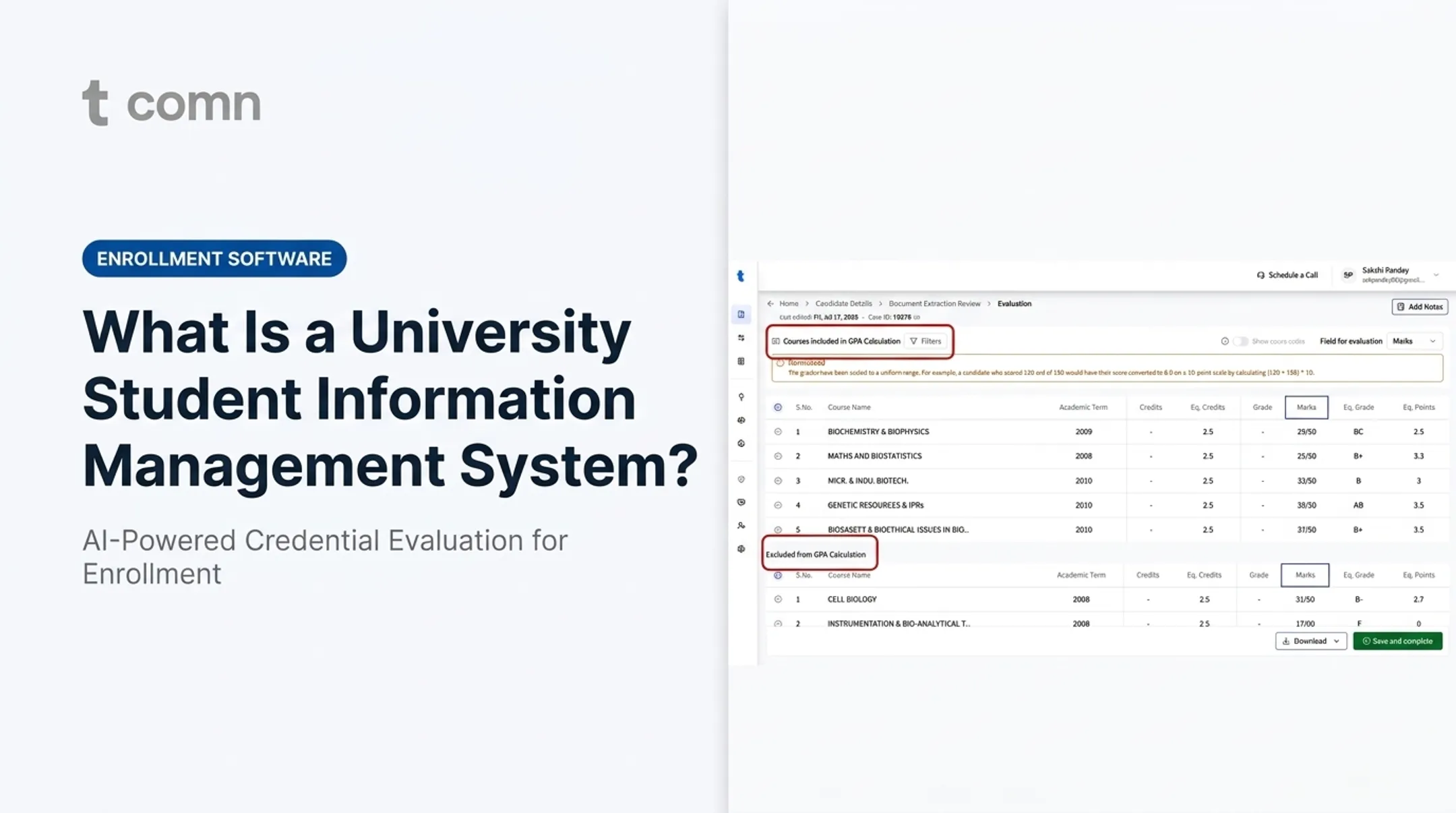
TruEnroll's transcript-processing workflow illustrates this end to end. It extracts and evaluates domestic and international credentials, normalizes grades to U.S. GPA and credit equivalency, and runs an automated forensics check that flags altered transcripts or unrecognized institutions before a decision gets made.
Every extracted field keeps a visual link to the source document for one-click staff verification. Once verified, results route directly into connected platforms like Slate, Banner, Salesforce, or Oracle PeopleSoft, without anyone retyping course names or grades.
Automation speeds the workflow. Final review of the decision still sits with the institution.
Where Student Records Management Systems Are Used
These systems support the full student lifecycle:
- Recruitment and admissions review
- Enrollment, transcript, and credential evaluation
- Credit articulation and advising
- Degree progress and graduation processing
- Records requests
K-12 schools tend to emphasize:
- Attendance tracking
- Guardian communication
- Health and behavior records
- Report cards
Colleges and universities tend to emphasize:
- Transcript processing and transfer credit
- Degree audits and registrar controls
- International credential evaluation
- Student mobility across institutions
The gap between electronic delivery and actual automation is bigger than most people assume. AACRAO's 2024 research on credit evaluation found that nearly three-quarters of U.S. institutions had adopted PDF-based record exchange, yet fewer than 25% used technology for sending and receiving genuinely machine-readable transcripts.

A PDF that arrives electronically still often needs the same manual entry as a paper file. That gap is where records management systems add the most value:
- High-volume admissions operations processing thousands of files per cycle
- Multi-campus institutions reconciling records across locations
- Institutions with significant international applicant volume
- Organizations needing audit-ready records and secure system integrations
Conclusion
A student records management system is a controlled workflow that captures information, structures it, validates it against institutional policy, and protects it. Once approved, that data becomes usable across every downstream process, from advising to compliance reporting.
When evaluating platforms, look past basic storage and search. Prioritize:
- Data quality controls and source provenance
- Permissions and policy configuration
- Integration capability and security certifications
- Human review for consequential decisions
Those factors, more than storage capacity, determine whether a system actually reduces backlogs or just digitizes the same manual bottlenecks.
Frequently Asked Questions
What is a student record management system?
A student record management system is software for securely storing, organizing, updating, retrieving, and sharing authorized student information and related documents throughout the student lifecycle. It replaces fragmented paper files and spreadsheets.
What are SIS platforms?
Student Information Systems are broader institutional platforms managing admissions, registration, grades, and degree audits. Records management functions often live within an SIS or connect to it through integrations.
What is a FERPA request?
A FERPA request is a parent or eligible student's request to inspect education records, which schools must fulfill within a reasonable time. Confirm current requirements and exceptions through official U.S. Department of Education guidance, since rules vary by circumstance.
Who is permitted to access student records?
Access is restricted to authorized users and permitted circumstances. Schools generally need consent before disclosing personally identifiable information to outside parties, and privacy controls plus institutional procedures govern exactly who can see what.
How are historical IEP records retrieved?
Contact the former school or district's records office directly, verify the identity and authorization, and ask about retention limits. Some records may no longer exist if retention periods have passed, so check with the relevant education agency too.
What are the 7 principles of record keeping?
Under ARMA International's updated framework, the seven principles are Lifecycle Management, Accountability, Availability, Compliance, Trustworthiness, Transparency, and Protection. Wording can vary by framework, so confirm which version a source cites.