
This isn't a staffing problem alone. In AACRAO's October 2025 survey of 270 US admissions offices, 95% reported at least one staffing challenge and 54% identified burnout as a factor. Disconnected tools amplify that pressure at every step.
A central admission processing system fixes the coordination gap. It creates a shared operational layer for receiving, validating, evaluating, routing, and tracking admission information across teams and systems. This article breaks down what that actually means, how the workflow operates in practice, and what to evaluate before adopting one.
Key Takeaways
- A central admission processing system standardizes credential data handling while leaving final admission decisions with authorized staff.
- Evaluation, validation, and SIS/CRM synchronization set it apart from applicant portals and admission management systems.
- Recurring backlogs and inconsistent transfer-credit decisions signal the need for centralized processing.
- Security certifications and human oversight controls matter as much as automation speed.
What Is a Central Admission Processing System?
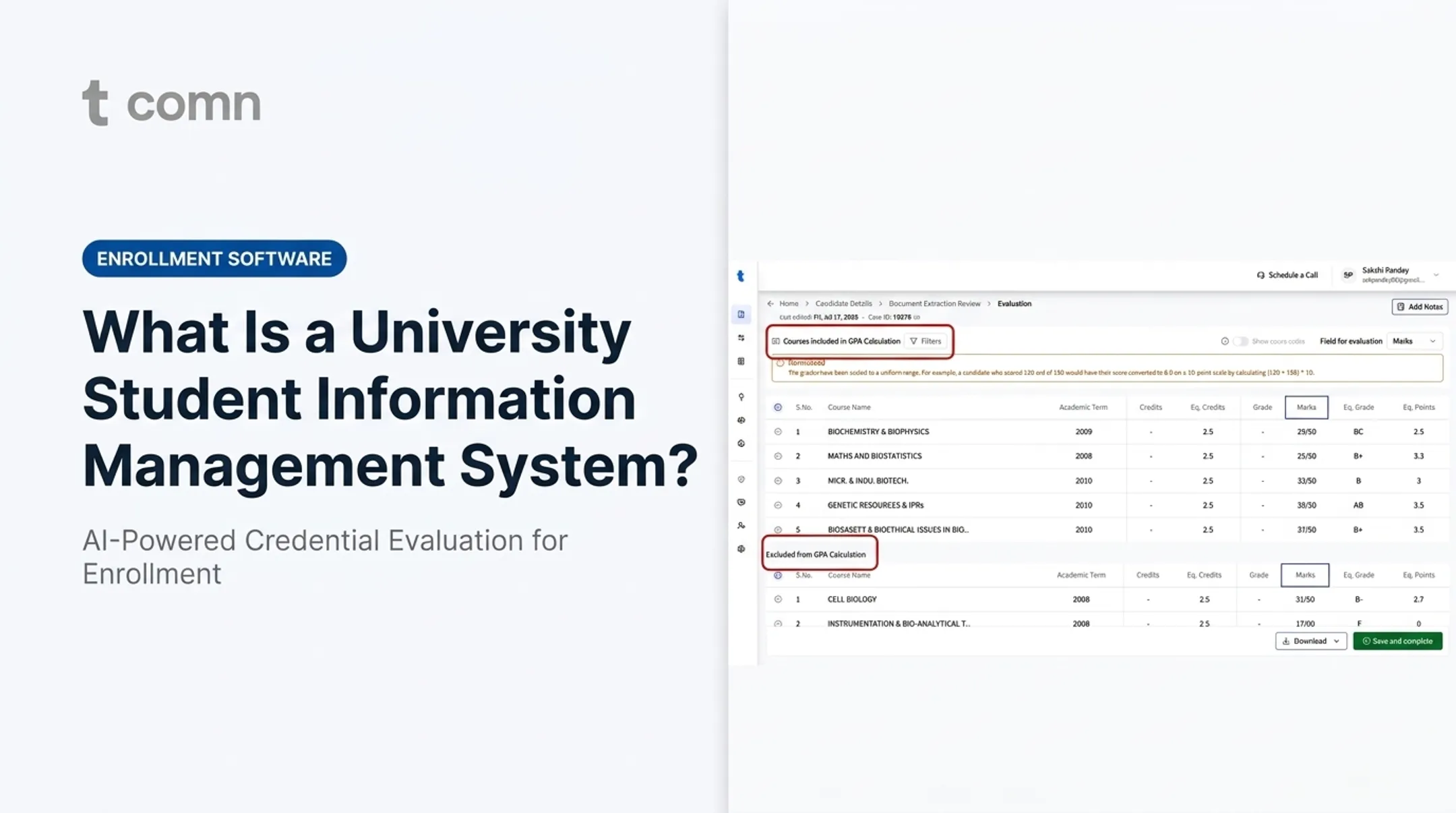
Admissions teams still shuttle applications, transcripts, and credentials across portals, shared inboxes, and spreadsheets that were never built to evaluate records at peak volume. A central admission processing system consolidates that work from intake through evaluation, decision support, and sync with institutional systems.
It doesn't replace the application portal or the student information system. It sits between them and takes on high-volume reading, validation, and routing.
Central processing is not the same as centralized decision-making. The system standardizes and automates data handling: pulling transcript fields, converting grading scales, and flagging documents that need a closer look. Final admission decisions, policy exceptions, and appeals stay with authorized institutional staff. That distinction matters in vendor review. A platform that issues unreviewed decisions on its own creates compliance and yield risk.
A Note on Terminology
The term "Central Admission Processing System" also refers to JAMB's CAPS, a Nigerian government platform run by the Joint Admissions and Matriculation Board for national university placement. That's a distinct, country-specific system with no bearing on how US institutions should evaluate software for their own admissions operations. This article addresses the US higher-education meaning of the term.
How It Compares to Adjacent Systems
| System | Primary Function | What It Doesn't Do |
|---|---|---|
| Admission management system | Manages applications, communications, documents, payments, applicant status | Doesn't typically evaluate credentials or articulate transfer credit at scale |
| Student information system (SIS) | Stores official student records — registration, grades, degree audits | Isn't built for high-volume intake and evaluation of incoming documents |
| CRM | Manages prospect and applicant engagement and communication history | Doesn't validate academic records or enforce evaluation policy |
| Central processing layer | Connects these systems; handles evaluation, validation, policy enforcement, routing | Doesn't replace the SIS or CRM as the system of record |
Think of it as connective tissue. The CRM manages relationships, the SIS holds the official record, and the central processing layer does the heavy lifting in between. It reads documents, applies institutional policy, then pushes clean data to the systems that need it.
How Does a Central Admission Processing System Work?
The workflow runs from document receipt to verified, synchronized output. Automation clears routine processing, while staff keep final say on anything ambiguous or high-stakes. Most platforms move work through the same five stages.
The Core Workflow Stages
- Intake and classification. The system accepts records from portals, email, uploads, or partner integrations, identifies document types, matches them to the right applicant, and flags missing or unreadable materials.
- Data extraction and normalization. It pulls names, institutions, dates, courses, grades, credits, and grading scales from domestic and international records, including non-Latin scripts and mixed file formats.
- Evaluation and policy application. Credential equivalency rules, transfer-credit articulation, grade exclusions, repeated-coursework handling, and unit conversions run against institutional policy.
- Exception handling. Ambiguous, incomplete, suspicious, or policy-sensitive cases route to human reviewers instead of passing through unexamined.
- Synchronization. Verified results, flags, and audit records write straight into the institution's CRM, SIS, or registrar workflow, so teams skip repeated spreadsheet or CSV transfers.
A Real-World Example: International Transfer Applicant
Consider an applicant transferring from a university in Brazil. Her transcript arrives as a scanned PDF, written in Portuguese, with a grading scale unfamiliar to most US reviewers.
A central processing system then:
- Extracts her academic history from the scan
- Converts grades to a US-equivalent GPA
- Translates course titles while keeping the originals on file
- Runs parallel forensics for tampering or inconsistency
- Surfaces formatting oddities for a reviewer instead of resolving them silently
TruEnroll's platform, for example, returns a completed evaluation with field-level provenance, so each data point traces to its exact spot on the source document. A registrar can verify with one click instead of re-reading the whole file.
Once approved, the verified GPA, credit total, and course equivalencies sync directly into the institution's Slate or Salesforce record.

Core Capabilities and Benefits for Higher-Education Institutions
Central admission processing platforms should cut backlog, reduce re-keying, and apply policy consistently across programs. These capabilities are the ones that usually deliver those gains.
What to Expect from the Platform
- Zero-template document processing for varied transcript layouts, languages, and foreign scripts—no manual template setup
- Automated credential evaluation that converts grades, articulates transfer credit, and maps coursework to CIP and SCED
- Fraud and anomaly detection that flags tampering, inconsistent records, or unrecognized institutions early
- Workflow orchestration with role-based queues, policy rules, and exception routing so staff judge only edge cases
- Field-level provenance so every extracted value links to its source for audit-ready review
- Direct CRM/SIS integrations via secure APIs to Slate, Banner, Salesforce, PeopleSoft, and similar systems
In practice, institutions see:
- Shorter evaluation backlogs
- Less manual re-keying and fewer spreadsheet errors
- More consistent policy application across program rules
TruEnroll reports a 90% decrease in peak evaluation backlogs and more than 35 minutes saved per transcript file. Those figures reflect the company’s own deployment data, not an industry-wide benchmark.
Applicant Experience Impact
Faster, more reliable processing reduces avoidable waiting. When applicants are weighing offers from multiple schools, institutions that can confirm transfer credit or resolve a missing-document flag within days rather than weeks have a real advantage in yield.
Security and Governance
Student records need strong protection and proof you can verify:
- Encryption at rest and in transit
- Role-based access controls
- Data isolation between institutional tenants
- Clear retention policies
Independent verification matters. TruEnroll holds SOC 2 Type II, ISO 27001, and ISO 27701 certifications for security controls, information security management, and privacy information management. When you evaluate any vendor, ask for current audit reports rather than accepting a certification claim at face value.
When Does an Institution Need a Central Admission Processing System?
Not every institution needs this layer immediately. These operational signals show when it becomes worth adding.
Warning Signs
- Recurring evaluation backlogs that force seasonal overtime
- Duplicate data entry across CRM, SIS, and spreadsheets
- Inconsistent transfer-credit decisions between reviewers
- Disconnected admissions and registrar workflows
- Limited visibility into where a file sits in the process
Who Benefits Most
Institutions with high application volume, multi-campus operations, large transfer populations, or significant international admissions tend to see the strongest gains.
Demand data backs this up. The National Student Clearinghouse reported fall 2024 transfer enrollment grew 4.4%, or 50,600 students, over fall 2023. IIE's Open Doors report counted 1,177,766 international students in the US for academic year 2024/25.

Institutions absorbing that growth without a central evaluation layer often feel the strain first in transfer and international admissions queues.
When a Lighter System Is Enough
Lower-volume institutions with simple document requirements and limited evaluation complexity may not need full central processing. If most applicants come from a handful of well-known feeder schools with standardized transcripts, an admission management system alone may suffice.
Before deciding, assess:
- Process volume
- Document diversity
- Decision timelines
- Exception rates
- Integration requirements
- Staff capacity
If several of these are strained at once, that is the clearest signal to move forward.
How to Evaluate and Implement a Central Admission Processing System
A structured evaluation protects academic policy and keeps peak-season operations stable. Work through discovery, quality checks, integration fit, and a controlled rollout before you commit.
Start With Process Discovery
Document current intake channels, handoffs, review queues, policy rules, bottlenecks, and duplicate entry points. Identify which systems must remain the source of truth, usually the SIS for official records.
Evaluate Processing Quality and Control
- Request demonstrations using real records: domestic, international, transfer, multilingual, and hard-to-read files, not just prepared samples.
- Ask how the platform handles uncertainty: conflicting data, missing fields, repeated courses, unusual grading scales, and manual overrides.
- Require transparent confidence indicators: source-level evidence, audit trails, and a clear line between automated recommendations and final decisions.
Assess Integration and Security Fit
Review technical and security requirements before you connect systems:
- APIs and SIS/CRM synchronization methods
- Identity and access management
- Data residency requirements and incident response procedures
- Independent security attestations
Integration guidance from EDUCAUSE recommends assigning cross-functional approvers (security, procurement, and data stewardship) before connecting any new system to your CRM or SIS.
Plan a Controlled Implementation
- Run a pilot with clean data mappings and configured policy rules
- Train staff by role, not generically
- Test with parallel validation before full cutover
- Build an escalation and rollback plan that avoids disruption during peak admission periods
Define Success Measures Before Launch
Establish a baseline first, then track:
- Processing turnaround and backlog age
- Staff time per file and exception resolution rate
- Data completeness and integration accuracy
- Applicant response times
Report measured results rather than promising fixed improvements upfront.
TruEnroll is one platform built for this kind of deployment. It handles transcript extraction, credential evaluation, and fraud detection, then synchronizes verified results directly into Slate, Banner, or Salesforce. Institutions can complete integration testing in about four to six weeks.

Conclusion
A central admission processing system is the coordinated processing and verification layer that turns fragmented transcripts, records, and evaluation steps into structured, reviewable, actionable data.
Before adopting one, keep these principles in mind:
- Preserve human oversight on final decisions
- Enforce institutional policy consistently
- Protect student information
- Integrate cleanly with existing systems
- Validate performance on institutional records, not vendor demo files
Institutions comparing platforms for high-volume transcript and admission operations should weigh accuracy, explainability, exception handling, and security fit. Automation claims alone don't tell the full story.
Frequently Asked Questions
How long does the admission process take?
Timing depends on application completeness, document complexity, institutional review rules, and whether manual verification is required. Processing time (how quickly documents get extracted and evaluated) is separate from the institution's overall admission decision timeline.
Is the admission process still ongoing?
Check the institution's applicant portal, email communications, or published decision calendar. "In progress" can mean missing materials, active review, pending verification, or a decision that's ready but not yet released.
How is admission status tracked in an admission processing system?
Use the institution's official applicant portal or contact the admissions office directly. Not every central processing system offers applicant-facing status access. Common categories include received, under review, pending documents, and decision issued.